improved
Rostering
Compliance
Breaks: Added rostering functionality 🕒
We’ve been building on break functionality over the last couple of weeks to improve on our product compliance and usability. As we continue, check back here for more updates.
Here’s some of the key improvements and features now live:
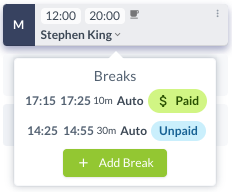
Automatic breaks will now have start and finish times, visible through the ‘Edit Breaks’ button on a shift card and on the daily roster view.
This feature can be toggled between break rule sets through
Settings > All Settings > Shift Breaks

Automatic paid breaks are now visible on shift cards, shown through break labels under the ‘Edit Breaks’ button and a teacup icon
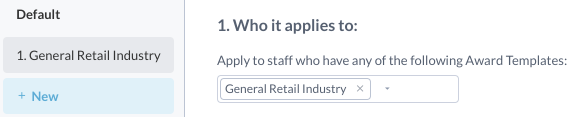
Rules can now be associated with the Award Template staff are linked to when creating a break rule set